To search
Softonic Rating:
Not bad:6/10
License:
Free
Added:
June 10, 2008
Publisher:
Website
File size:
192 KB
Downloads:
76
Cyril Roger

“Lock your Mac from your Dashboard”

by Cyril Roger

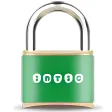
Padlock is a little widget which allows you to lock up your mind just with a double click.

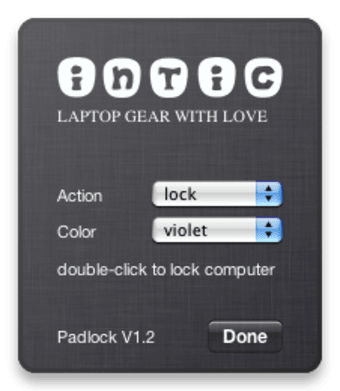
The application also allows you to put your Mac to sleep, in case you want to make best use of your battery and give your screen a rest. Padlock comes in five different colors: black, green, red, blue and violet.

Watch out when using it as you can end up accidentally locking up your Mac when just trying to press the info button (located at the bottom right, just like in most widgets).

All in all, Padlock is fairly basic, but it will surely come in handy if you don't want people getting access to your Mac. A double click and it's locked. Before using it, make sure you know your password though, as otherwise you could be in for some surprises.

Padlock is a useful little widget to lock up your Mac and put it to sleep with a double click.

Languages:

English

OS requirements for Padlock Widget:

  • OS: Mac OS X

Minimum requirements:

  • Mac OS X 10.4.3 or later
Pros
  • Five colors to pick from
  • Double click and lock
Cons
  • Basic features
Did you like this review?
2 of 4 users liked it (50%)

From the publisher of Padlock Widget

During the recent days I developed this little widget for mac. It’s a little lock sitting in your dashboard. On double-click it locks your computer and can also put it into sleep mode. It’s kind of a little promo thing for my latest project inticgear.com that you should also have a look at (It will be available in english soon).

Padlock Widget options

Padlock Widget Options
Softonic Rating:Not bad
10/10

User Rating

2 ratings
Usability
  • Currently 10/10.
Stability
  • Currently 10/10.
Installation
  • Currently 10/10.
Functionality
  • Currently 9/10.
Appearance
  • Currently 9/10.

Download stats

Related

Related searches